
User guide / 05
Turn off your alarm with light or movement
In this guide
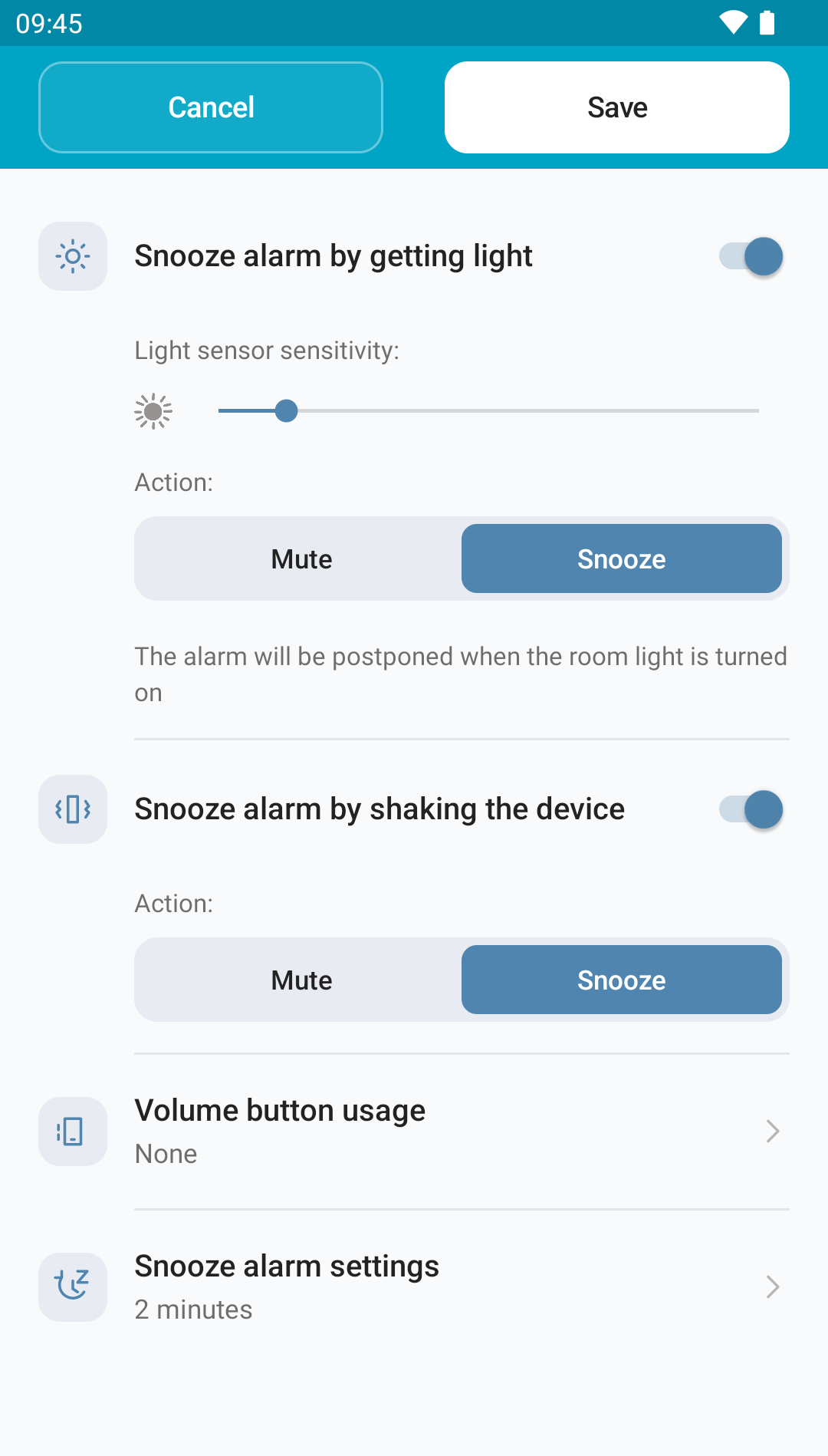
You can stop or snooze an alarm by switching on the room light, shaking your phone or pressing a volume key. Set each action inside the alarm, then save your changes.
Switch on the room light#
- Open an alarm and scroll to Mute alarm by getting light.
- Turn the switch on.
- Under Action, choose Mute to stop it or Snooze to make it ring again later.
- Adjust Light sensor sensitivity and tap Save.
- Test an alarm a few minutes ahead, with your phone in its usual overnight spot.
 Enlarge screenshot
Your phone needs an ambient light sensor. Leave it uncovered where it can receive the room light. You can keep the phone away from your bed, in the same room, and turn off the alarm without reaching for it.
Adjust the sensitivity in your room#
To measure the room light off and on and get a recommended sensitivity, use Auto-calibrate in Settings. See Appearance and settings for the steps and which alarms are affected.
- To the left: less sensitive; more light is needed to react.
- To the right: more sensitive; it can react to less light.
Start with a less sensitive setting and check that the alarm keeps ringing in a dark room. Switch on your lamp and check that it performs your chosen action. Adjust and repeat until it responds as you want.
This sensor is separate from the camera and flash: it detects light reaching your phone. A case covering it can stop it working. Reflections from the flash can trigger it too.
Shake your phone#
Turn on the shake control and choose Mute or Snooze. Save the alarm. When it rings, shake your phone to perform that action. A compatible motion sensor is required.
The switch label may change depending on whether you choose mute or snooze. Check the selected action as well as the heading.
Use the volume keys#
Tap Volume button usage and choose None, Mute alarm or Snooze alarm. This decides what the physical keys do while the alarm is ringing; it does not change the level chosen on the Volume slider.
If an option is unavailable#
Some phones do not have the required sensors or flash. The app may disable the matching section. You can still use the buttons on the ringing screen.
If you choose Snooze, also check the interval under Turn off and snooze.