
User guide / 06
Turn off or snooze an alarm
In this guide
When the alarm rings, press and hold the button you need until the ring is full. A quick tap is not enough. The screen tells you how long to hold.
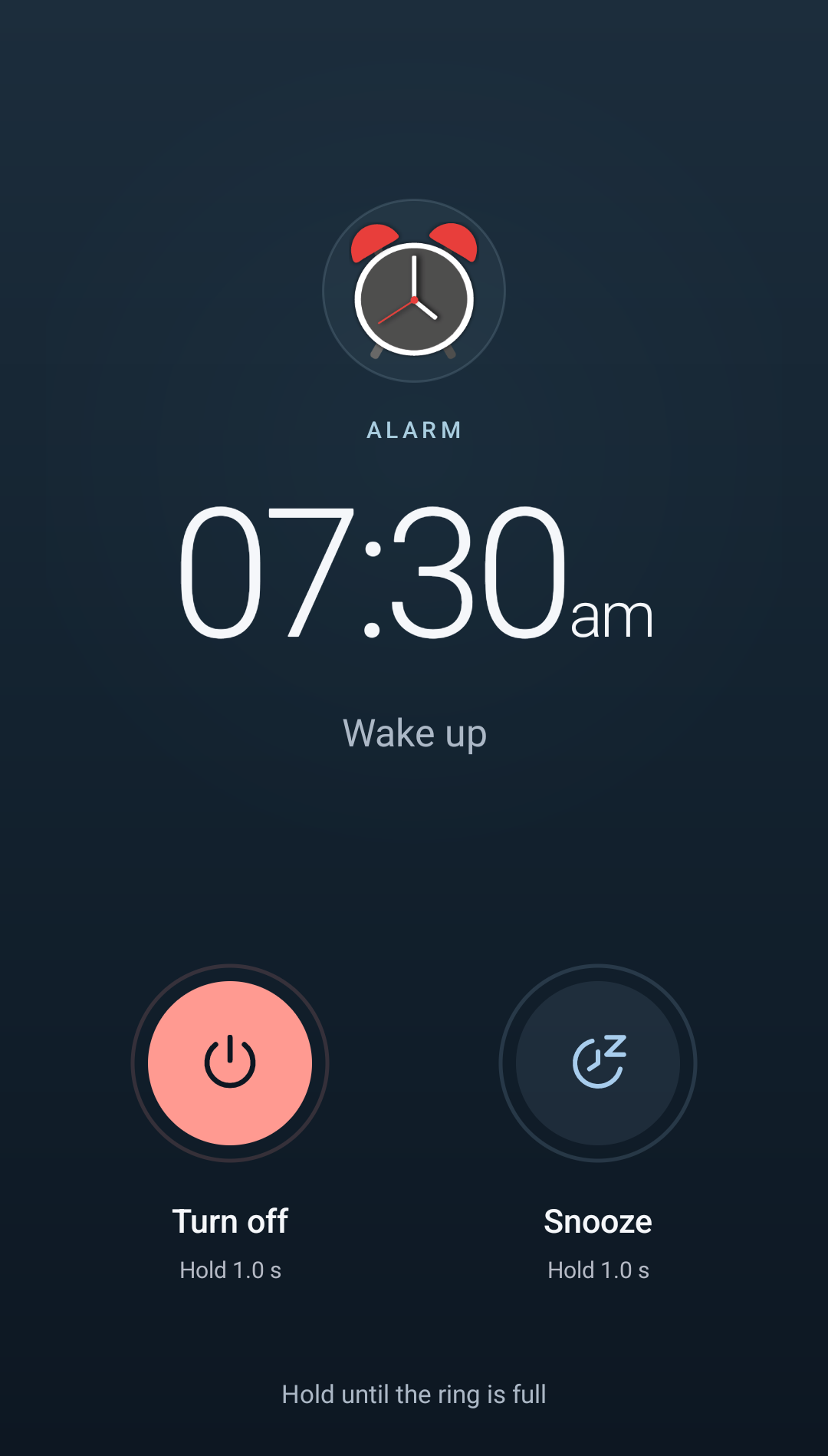 Enlarge screenshot
Turn off: time to get up#
Hold Turn off until the ring fills. The ringing alarm stops. If it repeats weekly, its upcoming alarms remain scheduled; turning it off does not remove your routine for the other days.
Snooze: a little longer#
Hold Snooze until the ring fills. The alarm goes quiet for now and rings again after the interval set for that alarm.
To change the interval, open the alarm from the list, find Snooze alarm settings, choose a time and save. Options range from 1 minute to 1 hour; the picker shows the available intervals.
Snooze is separate from duration#
- Snooze alarm settings: how long to wait before ringing again after you snooze.
- The alarm will sound for: how long the alarm keeps ringing if you do nothing; choose from the available options between 1 and 30 minutes.
For example, with an 8-minute snooze, snoozing at 7:30 makes it ring again around 7:38. Duration limits how long it rings each time.
Other controls you have enabled#
If you configured light, shake or volume-key controls, you can also use them while the alarm rings. Each carries out its own chosen action: Mute or Snooze. See Light and shake controls.
If you cannot see the alarm screen#
Open the alarm notification to reach its screen. When your phone is unlocked, Android may show a notification instead of opening the full-screen alarm straight away.
If nothing appears or controls are missing, check Permissions and battery, especially alarm notifications and full-screen access.